When was the LG rebel 4 released?
 Sarah Marsh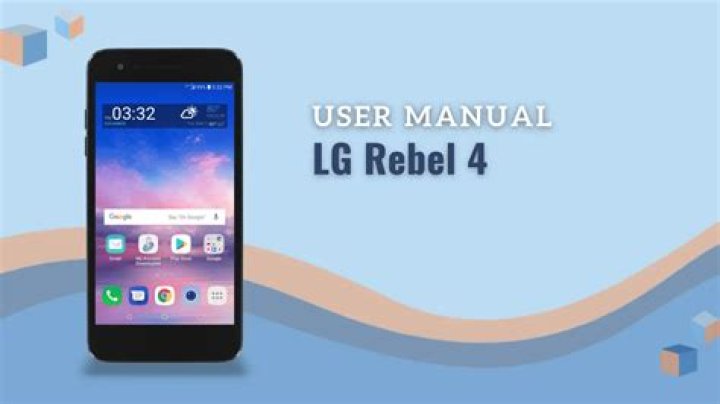
Subsequently, one may also ask, what is the difference between LG Rebel 4 and LG Rebel 4 LTE?
Both phones have a quad-core processor but the Rebel 4 has a newer and slightly faster version. They share the same amount of RAM, internal memory and screen size, but the Rebel 4 has more resolution for better clarity.
Also Know, does LG Rebel 4 have WIFI? Although LG Rebel 4 provides hotspot and tethering features, it still depends on the carrier. Your carrier might not allow it in some data plans.
Furthermore, when did the LG rebel come out?
The LG Rebel is a newer phone, released in early 2016, with Android 5.1 and aiming to be a budget friendly smartphone. Let's see the full list of features that come with this phone.
Does LG Rebel 4 have fingerprint scanner?
The R4 brings attention to an out-of-the-box invention where the power push button has been placed on the back cover. At first glance, this may seem like a regular fingerprint scanner and may take some time getting used to the odd placement of the button.
Related Question Answers
How do I bypass Google verification on LG rebel 4?
Google Account Verification bypass Manual- Turn on your LG Rebel 4 and select your language.
- Connect to an available wifi network.
- Back to the Welcome screen.
- Select Accessibility button.
- Next tap Vision option.
- Turn on TalkBack option, confirm enable by tap turn on button.
- Write on screen L letter to enable help menu.
Can LG rebel 4 be unlocked?
One of the options available is to unlock your LG Rebel 4 using Google Account. You have to make sure you know your Google account and its password. Afterward, follow the steps above to begin the unlocking process. After successfully unlocking, you'll have the option to create a new password for your phone again.Who makes the Rebel 4 phone?
The LG Rebel 4 offers an impressive 16 hours of talk time, plus 16GB of storage with more room to expand! And if you need a phone that's sleek, fast, and powerful to keep up, don't worry. The LG Rebel 4 has a powerful quad-core processor and works on America's most reliable lightning-fast 4G LTE networks.How do you text on a LG rebel 4 LTE?
To send a text message- Open the Messaging app (set it as your default messaging app, if necessary), then tap the New message icon (at the top right of the screen).
- Enter the recipient(s) in the To box.
- Tap the text field, then enter your message.
- Tap the Send button (on the right side of the screen) to send the message.
Does LG rebel 4 have video calling?
(the Rebel 4 has a connection 802.11a (IEEE 802.11a-1999), 802.11b (IEEE 802.11b-1999), 802.11g (IEEE 802.11g-2003), 802.11n (IEEE) since it has an app for iOS, Android and it is also possible to access it through its website from a laptop, desktop PC or a Smart Display such as Google Nest Hub Max.What kind of charger does a LG rebel 4 use?
Micro USBIs the LG Rebel a smartphone?
The TracFone LG Rebel 4 LTE Android prepaid smartphone serves as a useful alternative to people who don't want to commit to a month-to-month cell service plan. This prepaid smartphone comes fully loaded with a wide variety of applications, including Wi-Fi, GPS and Bluetooth.Is the LG Rebel 3 waterproof?
Is the LG Rebel 3 waterproof? Yes, the LG Rebel 3 is a 4G handset that is rated 4G LTE CAT4 (150 Mbps).How big is the LG solo?
5.7 InchesWhat kind of phone is a rebel?
Specifications| Brand | LG |
|---|---|
| Cell Phone Type | Prepaid Phones |
| Cell Phone Service Provider | TracFone |
| Model Name | Rebel 4 |
| Condition | New |
When did the LG rebel 2 come out?
January 1, 2017How do I turn on my LG rebel 4?
How do I turn ON / OFF the LG Rebel 4?- Press and hold the Power button. Locate the Power button on the back cover of LG Rebel 4.
- Wait until the screen lights up.
- To turn off, press and hold the Power button.
- Tap “Power offâ€.
- Confirm the shutdown process.
- Wait until the screen is turned off.
How tall is an LG rebel 4?
TECHNICAL SPECIFICATIONS 5.70" (H) x 2.83" (W) x 0.31" (D); 4.95 oz.How much does a LG rebel 4 weigh?
| Physical features | LG Rebel 4 |
|---|---|
| Size (width x height) | 71.882 x 144.78 millimeters (2.83 x 5.7 in) |
| Weight | 140 grams (4.9 ounces) |
| Qwerty physical keyboard | Not supported |
| Antenna | Internal antenna |
How do I get my LG rebel 4 into recovery mode?
System recovery- Turn the phone off.
- Press and hold the following keys (on the back of the phone) at the same time: Volume Down Key + Power/Lock Key for approximately 10 seconds.
- Release both of the keys when the System recovery screen is displayed.
How many megapixels does a LG rebel 4 have?
8.0 MPDoes LG rebel 4 have SD card slot?
You can install a microSD memory card (not included) to add more memory space to your device. Make sure your phone is turned OFF. Remove the back cover by using the slit on the bottom corner of your phone. Locate the microSD card holder above the battery compartment.How do I update my LG rebel 4?
Update Firmware- From the main screen, tap the "Apps" icon.
- Tap the "Tools" folder.
- Slide the screen up to see more options. Tap "System."
- Tap "Update center."
- Tap "Software Update."
- Tap "Check for update." Your phone will install any available updates, or "Your software is up to date" will display.